---
title: "Fax Cover Sheet for Google Docs: Free Template | SingleFax"
description: "Use a free fax cover sheet in Google Docs, edit the routing fields and download a PDF. Learn how to keep the cover on one page and fax the file."
canonical_url: "https://singlefax.com/blog/fax-cover-sheet-google-docs"
last_updated: 2026-10-08
meta:
"og:description": "Use a free fax cover sheet in Google Docs, edit the routing fields and download a PDF. Learn how to keep the cover on one page and fax the file."
"og:image": "https://singlefax.com/images/versioned/adb9fe9cef0dc5c1/fax-cover-sheet-google-docs.jpg"
"og:image:alt": "Fax Cover Sheet for Google Docs: Free Template"
"og:image:height": "800"
"og:image:type": image/jpeg
"og:image:width": "1200"
"og:title": "Fax Cover Sheet for Google Docs: Free Template"
---
> Index of every page on this site: [llms.txt](https://singlefax.com/llms.txt)
[singlefax](https://singlefax.com/)
[Send & receive](https://singlefax.com/send-or-receive-fax) [For companies](https://singlefax.com/for-companies)Solutions [Pricing](https://singlefax.com/pricing) [Blog](https://singlefax.com/blog)
[Sign in](https://singlefax.com/login)
[All guides](https://singlefax.com/blog)
# Fax Cover Sheet in Google Docs: Free Template
UpdatedOct 8, 2026 [Mircea Rilă](https://singlefax.com/authors/mircea-rila)
**You can create a fax cover sheet in Google Docs by editing a template or opening a free Word cover in Docs.** Fill in the recipient, fax number, sender, callback, date and page count, then download the cover as a PDF. Upload that actual file with your attachments to send the fax.
Download PDF or Word, or fill the cover online.
[Create a free cover sheet](https://singlefax.com/fax-cover-sheet)
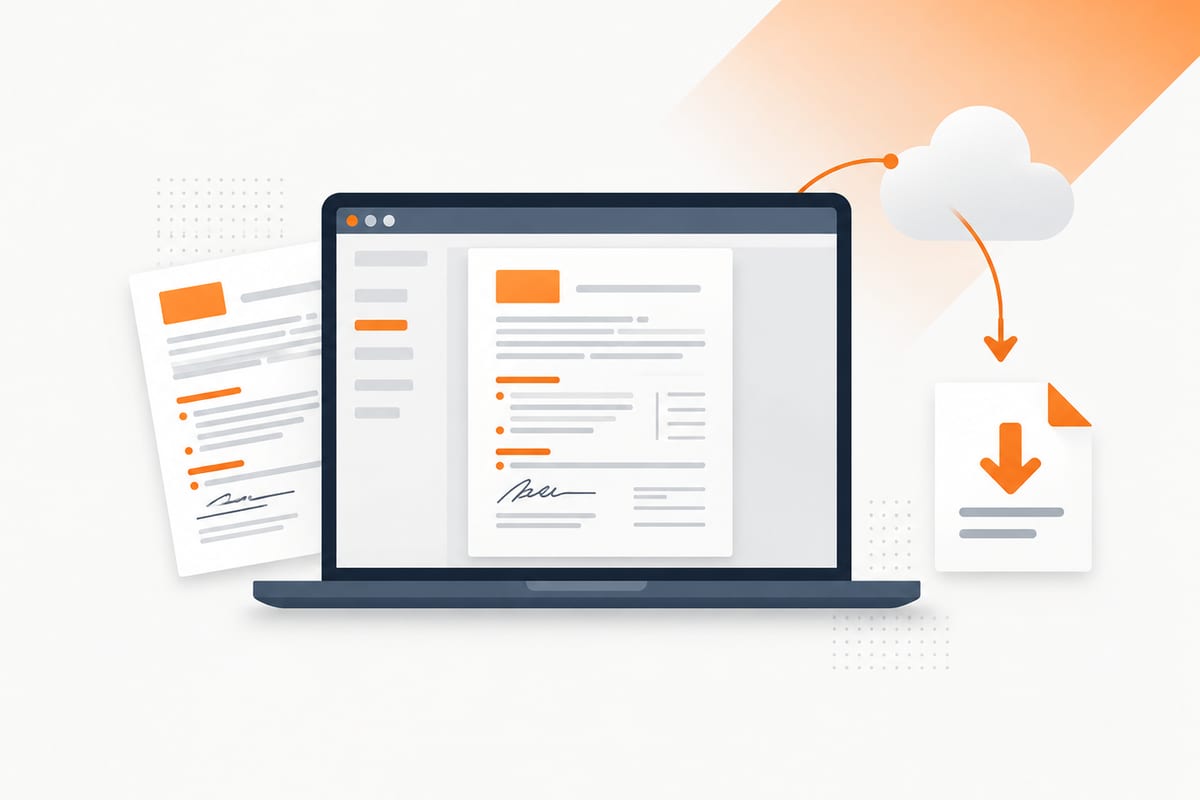
The [free cover sheet hub](https://singlefax.com/fax-cover-sheet) has printable PDFs and editable Word files hosted by SingleFax. Start with the [blank Word template](https://singlefax.com/downloads/fax-cover-sheets/fax-cover-sheet-blank.docx), [business template](https://singlefax.com/downloads/fax-cover-sheets/fax-cover-sheet-business.docx) or [confidential template](https://singlefax.com/downloads/fax-cover-sheets/fax-cover-sheet-confidential.docx). To use one in Google Docs, upload the downloaded .docx to Drive and open it with Google Docs. The templates are free; fax transmission is separate.
> **Make the cover for free:** [Fill the fax cover-sheet generator](https://singlefax.com/fax-cover-sheet) and download its PDF. Creating a cover does not transmit the document; [ordinary sending has a separate quote](https://singlefax.com/send-or-receive-fax?type=send).
## Open and use the template
Download a Word cover sheet from the [SingleFax template gallery](https://singlefax.com/blog/fax-cover-sheet-templates), then upload the .docx file to Google Drive. Open it with Google Docs to edit it online. Google supports working with uploaded Office files and converting them to Docs format; check the layout after importing because a Word file can display differently in a browser editor. [Google's guide to Office files](https://support.google.com/docs/answer/6055139?hl=en) explains the available options.
To keep a reusable blank, choose **File → Make a copy** in Google Docs and edit the new document. The downloadable Word and PDF files remain available directly from SingleFax if you do not want to use Drive.
Keep the reusable template blank. Make a separate copy for each fax so old destination numbers and identifiers do not carry into the next packet. A folder full of completed covers is also a record you should handle appropriately, rather than a public template library.
## Fill the routing fields
Enter the person or department expected to receive the documents. Confirm its current direct fax number from an official website or request letter. The number written in Docs does not automatically set the destination in your sending tool; check both before checkout.
Add your name or organization and a callback number. A return fax number is optional unless the recipient requires one. Use the actual send date, a brief subject and a page count with a clear label such as **Total pages including cover**.
For example, one cover plus a three-page signed form is four total pages. If you later attach another page, update the count. Avoid inserting full SSNs, diagnoses or bank details merely because the message box has space. See the [field-by-field cover guide](https://singlefax.com/blog/how-to-fill-out-a-fax-cover-sheet) for examples.
## Make a cover from scratch in Docs
Start with a blank document and a simple heading: **Fax cover sheet**. Beneath it, create a two-column table with field labels on the left and room for values on the right. Use readable dark text and sufficient spacing for the longest expected names and numbers.
Include these fields:
- Date and intended recipient or department.
- Recipient's verified fax number.
- Sender and organization, if applicable.
- Callback phone and optional return fax number.
- Total pages including the cover.
- Short subject and routing message.
Add a brief confidentiality notice if your workflow requires one. Keep the whole document to one page; decorative graphics and large logos can make the cover harder to transmit and read.
[Google's page setup guidance](https://support.google.com/docs/answer/11528737?hl=en) distinguishes pages from pageless documents. A fixed paper layout is useful when you need to inspect what will become a fax page. Choose the appropriate paper size and check that the table and message fit before export.
> **Need to send an ordinary document?** [Review a one-time fax quote](https://singlefax.com/send-or-receive-fax?type=send). $0.99 covers up to 10 pages, pay only if delivered.
## Download the final cover as PDF
On a computer, Google's current instructions use **File → Download**, then the required file type. Choose **PDF document** for a fixed-layout fax cover. [Google's copy and download guide](https://support.google.com/docs/answer/49114?hl=en) also describes printing to PDF for large documents.
Open the downloaded PDF. Check the following separately from the editor view:
- The cover is one page with no clipped table or extra blank page.
- All recipient and sender fields are complete and legible.
- The printed destination matches the number you intend to dial.
- The count agrees with the final document packet.
- No sample values, old references or unnecessary sensitive details remain.
Use the PDF you inspected for the actual upload. Changing the Google document afterward does not change a previously downloaded file. Export again if you make a correction.
## Fax the cover and documents from Google Drive
Download the actual cover and attachment files, then open the [fax send page](https://singlefax.com/send-or-receive-fax?type=send). Upload them, check page order and enter the destination. If the recipient provides a mandatory barcode cover, follow its order instructions instead of placing a generic cover ahead of it.
Our [Google Drive fax guide](https://singlefax.com/blog/send-fax-from-google-drive) covers the document workflow, and the [Gmail fax guide](https://singlefax.com/blog/how-to-fax-from-gmail) explains the email alternative. For ordinary documents, attach actual files to `send@fax.delivery` and put the destination number with country code in the subject. Keep the set within ten files and ten MB, and complete the gateway reply's checkout step.
A Drive permission link is not an attachment. Do not make confidential documents public just to let a fax gateway retrieve them. For PHI sent by an organization, use the protected [HIPAA workflow](https://singlefax.com/hipaa-fax) and its BAA requirements rather than the ordinary gateway.
Before reusing a completed cover, make a fresh copy of the blank master. Recheck names, destination digits, dates and page counts. An old cover can look correct while pointing the next packet at the wrong department.
## Prepare and send in five steps
1. **Open your template copy:** use an editable Google document or import a downloaded Word cover.
2. **Enter routing details:** add the verified destination, sender, callback, date, subject and total page count.
3. **Check the layout:** keep the cover to one page and inspect fields and sensitive information.
4. **Download a PDF:** choose File, Download and PDF document on a computer, then inspect the file.
5. **Upload and review the packet:** add the actual cover and attachments, confirm order and destination, and review the quote before checkout.
The cover generator and downloads do not place a fax call. SingleFax ordinary sending starts at **$0.99 for up to ten document pages**, with $0 on failure.
Menu and product checks: **8 October 2026**. Keep your final exported packet and transmission confirmation together; saving a document in Drive does not establish fax delivery.
## Frequently asked questions
Can I make a fax cover sheet in Google Docs?
Yes. Edit a template copy or open a downloaded Word cover with Google Docs. Fill in the routing information, check the one-page layout and download the final cover as a PDF.
Is the Google Docs cover sheet free?
The SingleFax cover templates and generator are free. Creating or downloading a cover does not send a fax; the transmission service has separate pricing.
How do I make a reusable fax cover sheet in Google Docs?
Download a free Word cover sheet, upload it to Google Drive and open it with Google Docs. Use File, Make a copy to create your own reusable version, then edit and download each fax cover as a PDF.
How do I download the cover as a PDF?
In Google Docs on a computer, choose File, Download, then PDF document. Open the downloaded PDF and check the page count, fields and readability before uploading it.
Can Google Docs send a fax itself?
Creating or exporting a document does not transmit a fax. Download the actual file and upload it to a fax service, or attach it to a supported email-to-fax workflow.
Can I email a Google Drive sharing link to a fax gateway?
A sharing link is not an attached document. Download the cover and other files first, then attach the actual files. SingleFax's ordinary gateway accepts up to ten files totaling ten MB and requires the reply's checkout step.
Why did my cover become two pages?
Long messages, margins, table spacing or an imported layout can push content onto another page. Check page setup and shorten routing text, then inspect the exported PDF rather than relying only on the editing view.
## Sources
- [Google: Create, copy and download a file](https://support.google.com/docs/answer/49114?hl=en)
- [Google: Work with Office files](https://support.google.com/docs/answer/6055139?hl=en)
- [Google: Change a document's page setup](https://support.google.com/docs/answer/11528737?hl=en)
- [SingleFax: Email gateway limits](https://singlefax.com/email-to-fax)
## Send a fax
[Send a fax](https://singlefax.com/send-or-receive-fax?type=send) [Get a US or Canadian number](https://singlefax.com/send-or-receive-fax?type=receive)
## Related guides
[How to Fill Out Form SS-4 and Apply for an EIN by Fax (2026 Walkthrough)
Line-by-line Form SS-4 walkthrough for an EIN by fax: what to write for foreign owners, common mistakes, the return fax and what happens after you send.UpdatedOct 27, 2026](https://singlefax.com/blog/apply-for-ein-by-fax-ss4) [Best Fax Apps for iPhone & Android: 2026 Costs
Compare six cell phone fax app options by free limits, subscriptions, page credits and BAA support. Includes a browser option for one fax without an app subscription.UpdatedOct 27, 2026](https://singlefax.com/blog/best-fax-apps) [Best Free Fax Numbers Online (2026): Receive Faxes Free
Free fax numbers for receiving in 2026: 24-hour numbers, toll-free options, trials and public queues. How long each lasts, page limits and the catch.UpdatedOct 24, 2026](https://singlefax.com/blog/best-free-fax-numbers-online-2026)
[singlefax](https://singlefax.com/)
Send once. Receive when you need to.
[](https://apps.apple.com/app/id6810689541) [](https://play.google.com/store/apps/details?id=com.monocube.singlefax)
[Add to Chrome](https://chromewebstore.google.com/detail/singlefax-fax-a-document/ojpmpilgkmjcfebhpkdmmjlkbcifkkej) [SingleFax on LinkedIn](https://www.linkedin.com/company/singlefax/) [SingleFax on Facebook](https://www.facebook.com/singlefax) [SingleFax on Instagram](https://www.instagram.com/singlefax.app) [SingleFax on Threads](https://www.threads.com/@singlefax.app) [SingleFax on YouTube](https://www.youtube.com/@singlefax) [SingleFax on GitHub](https://github.com/SingleFax)
## Fax services
- [Send a fax](https://singlefax.com/send-or-receive-fax?type=send)
- [Receive faxes](https://singlefax.com/send-or-receive-fax?type=receive)
- [Free 24-hour number](https://singlefax.com/free-fax-number)
- [Lifetime number](https://singlefax.com/lifetime-fax-number)
- [Number porting](https://singlefax.com/number-porting)
- [Test fax](https://singlefax.com/test-fax-number)
- [Company plans](https://singlefax.com/for-companies)
- [HIPAA Secure](https://singlefax.com/hipaa-fax)
- [Online fax](https://singlefax.com/online-fax)
- [Email to fax](https://singlefax.com/email-to-fax)
- [WhatsApp to fax](https://singlefax.com/whatsapp-to-fax)
## IRS filings
- [All IRS filings](https://singlefax.com/irs-filings)
- [EIN · Form SS-4](https://singlefax.com/get-ein)
- [Form 5472](https://singlefax.com/file-5472)
- [Form 7004](https://singlefax.com/file-7004)
- [Form 2553](https://singlefax.com/file-2553)
- [Form 2848](https://singlefax.com/file-2848)
- [Form 4506-T](https://singlefax.com/file-4506-t)
- [Form 8821](https://singlefax.com/file-8821)
- [Form 8802](https://singlefax.com/file-8802)
- [Form 8655](https://singlefax.com/file-8655)
- [Form 3911](https://singlefax.com/file-3911)
- [Form 8233](https://singlefax.com/file-8233)
- [NY POA-1](https://singlefax.com/file-ny-poa-1)
## Tools & resources
- [Free fax tools](https://singlefax.com/free-fax-tools)
- [Fax services near me](https://singlefax.com/fax-near-me)
- [Prepare a fax PDF](https://singlefax.com/prepare-fax)
- [Printable test page](https://singlefax.com/fax-test-page)
- [Cover sheets](https://singlefax.com/fax-cover-sheet)
- [Mobile app](https://singlefax.com/mobile-app)
- [Chrome extension](https://singlefax.com/chrome-extension)
- [Developers](https://singlefax.com/developers)
- [AI fax agents](https://singlefax.com/agents)
- [Versioning](https://singlefax.com/versioning)
- [Congress fax directory](https://singlefax.com/fax/congress)
- [Senate fax directory](https://singlefax.com/fax/senate)
- [Governor fax directory](https://singlefax.com/fax/governors)
## SingleFax
- [Pricing](https://singlefax.com/pricing)
- [Blog](https://singlefax.com/blog)
- [About](https://singlefax.com/about)
- [Contact](https://singlefax.com/contact)
- [Support](https://singlefax.com/support)
© 2026 SingleFax
[Privacy](https://singlefax.com/privacy-policy) [Terms](https://singlefax.com/terms-of-service) [Refunds](https://singlefax.com/refund-policy) [Report abuse](https://singlefax.com/abuse)
```json
{"@context":"https://schema.org","@type":"HowTo","name":"Prepare a fax cover sheet in Google Docs","step":[{"@type":"HowToStep","name":"Open the downloaded Word template","text":"Download a free fax cover sheet Word file and upload it to Google Drive. Open the uploaded file with Google Docs."},{"@type":"HowToStep","name":"Enter routing details","text":"Fill in the recipient, verified fax number, sender, callback, date, subject and page count including the cover."},{"@type":"HowToStep","name":"Check the layout","text":"Use a one-page layout and inspect the final cover for overflow, clipped fields and unnecessary sensitive information."},{"@type":"HowToStep","name":"Download a PDF","text":"On a computer choose File, Download and PDF document. Open the downloaded PDF to check it."},{"@type":"HowToStep","name":"Upload and review the packet","text":"Upload the actual cover PDF and attachments to the fax send page, verify their order and review the quote before checkout."}]}
```
```json
{"@context":"https://schema.org","@graph":[{"@id":"https://singlefax.com/#website","@type":"WebSite","description":"SingleFax lets you send and receive one time faxes from your phone or computer. No signup & account registration required.","inLanguage":"en","name":"SingleFax - Send & Receive one time faxes","url":"https://singlefax.com/","publisher":{"@id":"https://singlefax.com/#/schema/organization/1"},"workTranslation":[{"@id":"https://singlefax.com/de#website"},{"@id":"https://singlefax.com/fr#website"},{"@id":"https://singlefax.com/es#website"},{"@id":"https://singlefax.com/it#website"},{"@id":"https://singlefax.com/zh-tw#website"},{"@id":"https://singlefax.com/pt-br#website"},{"@id":"https://singlefax.com/tr#website"},{"@id":"https://singlefax.com/ko#website"},{"@id":"https://singlefax.com/ja#website"},{"@id":"https://singlefax.com/ar#website"}]},{"@id":"https://singlefax.com/blog/fax-cover-sheet-google-docs#webpage","dateModified":"2026-10-08","datePublished":"2026-10-29","description":"Use a free fax cover sheet in Google Docs, edit the routing fields and download a PDF. Learn how to keep the cover on one page and fax the file.","name":"Fax Cover Sheet for Google Docs: Free Template","url":"https://singlefax.com/blog/fax-cover-sheet-google-docs","@type":["WebPage","FAQPage"],"breadcrumb":{"@id":"https://singlefax.com/blog/fax-cover-sheet-google-docs#breadcrumb"},"isPartOf":{"@id":"https://singlefax.com/#website"},"mainEntity":[{"@id":"https://singlefax.com/blog/fax-cover-sheet-google-docs#/schema/question/1"},{"@id":"https://singlefax.com/blog/fax-cover-sheet-google-docs#/schema/question/2"},{"@id":"https://singlefax.com/blog/fax-cover-sheet-google-docs#/schema/question/3"},{"@id":"https://singlefax.com/blog/fax-cover-sheet-google-docs#/schema/question/4"},{"@id":"https://singlefax.com/blog/fax-cover-sheet-google-docs#/schema/question/5"},{"@id":"https://singlefax.com/blog/fax-cover-sheet-google-docs#/schema/question/6"},{"@id":"https://singlefax.com/blog/fax-cover-sheet-google-docs#/schema/question/7"}],"potentialAction":[{"@type":"ReadAction","target":["https://singlefax.com/blog/fax-cover-sheet-google-docs"]}]},{"@id":"https://singlefax.com/blog/fax-cover-sheet-google-docs#article","dateModified":"2026-10-08","datePublished":"2026-10-29","description":"Use a free fax cover sheet in Google Docs, edit the routing fields and download a PDF. Learn how to keep the cover on one page and fax the file.","headline":"Fax Cover Sheet for Google Docs: Free Template","inLanguage":"en","thumbnailUrl":"https://singlefax.com/images/versioned/adb9fe9cef0dc5c1/fax-cover-sheet-google-docs.jpg","@type":["Article","BlogPosting"],"author":{"@id":"https://singlefax.com/authors/mircea-rila#person"},"image":{"@id":"https://singlefax.com/#/schema/image/1"},"isPartOf":{"@id":"https://singlefax.com/blog/fax-cover-sheet-google-docs#webpage"},"mainEntityOfPage":{"@id":"https://singlefax.com/blog/fax-cover-sheet-google-docs#webpage"},"publisher":{"@id":"https://singlefax.com/#/schema/organization/1"},"speakable":{"@type":"SpeakableSpecification","cssSelector":["[data-speakable-lead]","[data-speakable-faq] [data-slot=\"body\"]"]}},{"@id":"https://singlefax.com/blog/fax-cover-sheet-google-docs#breadcrumb","@type":"BreadcrumbList","itemListElement":[{"@type":"ListItem","name":"Guides","item":"https://singlefax.com/blog","position":1},{"@type":"ListItem","name":"Fax Cover Sheet for Google Docs: Free Template","item":"https://singlefax.com/blog/fax-cover-sheet-google-docs","position":2}]},{"@id":"https://singlefax.com/blog/fax-cover-sheet-google-docs#/schema/question/1","@type":"Question","inLanguage":"en","name":"Can I make a fax cover sheet in Google Docs?","acceptedAnswer":{"@type":"Answer","text":"Yes. Edit a template copy or open a downloaded Word cover with Google Docs. Fill in the routing information, check the one-page layout and download the final cover as a PDF."}},{"@id":"https://singlefax.com/blog/fax-cover-sheet-google-docs#/schema/question/2","@type":"Question","inLanguage":"en","name":"Is the Google Docs cover sheet free?","acceptedAnswer":{"@type":"Answer","text":"The SingleFax cover templates and generator are free. Creating or downloading a cover does not send a fax; the transmission service has separate pricing."}},{"@id":"https://singlefax.com/blog/fax-cover-sheet-google-docs#/schema/question/3","@type":"Question","inLanguage":"en","name":"How do I make a reusable fax cover sheet in Google Docs?","acceptedAnswer":{"@type":"Answer","text":"Download a free Word cover sheet, upload it to Google Drive and open it with Google Docs. Use File, Make a copy to create your own reusable version, then edit and download each fax cover as a PDF."}},{"@id":"https://singlefax.com/blog/fax-cover-sheet-google-docs#/schema/question/4","@type":"Question","inLanguage":"en","name":"How do I download the cover as a PDF?","acceptedAnswer":{"@type":"Answer","text":"In Google Docs on a computer, choose File, Download, then PDF document. Open the downloaded PDF and check the page count, fields and readability before uploading it."}},{"@id":"https://singlefax.com/blog/fax-cover-sheet-google-docs#/schema/question/5","@type":"Question","inLanguage":"en","name":"Can Google Docs send a fax itself?","acceptedAnswer":{"@type":"Answer","text":"Creating or exporting a document does not transmit a fax. Download the actual file and upload it to a fax service, or attach it to a supported email-to-fax workflow."}},{"@id":"https://singlefax.com/blog/fax-cover-sheet-google-docs#/schema/question/6","@type":"Question","inLanguage":"en","name":"Can I email a Google Drive sharing link to a fax gateway?","acceptedAnswer":{"@type":"Answer","text":"A sharing link is not an attached document. Download the cover and other files first, then attach the actual files. SingleFax's ordinary gateway accepts up to ten files totaling ten MB and requires the reply's checkout step."}},{"@id":"https://singlefax.com/blog/fax-cover-sheet-google-docs#/schema/question/7","@type":"Question","inLanguage":"en","name":"Why did my cover become two pages?","acceptedAnswer":{"@type":"Answer","text":"Long messages, margins, table spacing or an imported layout can push content onto another page. Check page setup and shorten routing text, then inspect the exported PDF rather than relying only on the editing view."}},{"@id":"https://singlefax.com/authors/mircea-rila#person","@type":"Person","jobTitle":"Founder & CEO, SingleFax","name":"Mircea Rilă","url":"https://singlefax.com/authors/mircea-rila","image":{"@id":"https://singlefax.com/#/schema/image/2"},"sameAs":["https://www.linkedin.com/in/mircearila/","https://x.com/zawasp"],"worksFor":{"@type":"Organization","name":"SingleFax","legalName":"Monocube LLC","url":"https://singlefax.com"}},{"@id":"https://singlefax.com/#/schema/organization/1","@type":"Organization","logo":"https://singlefax.com/android-chrome-512x512.png","name":"SingleFax","url":"https://singlefax.com/"},{"@id":"https://singlefax.com/#/schema/image/1","@type":"ImageObject","contentUrl":"https://singlefax.com/images/versioned/adb9fe9cef0dc5c1/fax-cover-sheet-google-docs.jpg","inLanguage":"en","url":"https://singlefax.com/images/versioned/adb9fe9cef0dc5c1/fax-cover-sheet-google-docs.jpg"},{"@id":"https://singlefax.com/#/schema/image/2","@type":"ImageObject","contentUrl":"https://singlefax.com/images/authors/mircea-rila.jpg","inLanguage":"en","url":"https://singlefax.com/images/authors/mircea-rila.jpg"}]}
```