---
title: "How to Send a Fax from Google Drive/Docs | SingleFax"
description: "Send a fax from Google Drive, Docs, Sheets, or Slides with no add-on. Download a PDF, upload it in your browser, and send from $0.99. No account required."
canonical_url: "https://singlefax.com/blog/send-fax-from-google-drive"
last_updated: 2026-10-08
locale: en
meta:
"og:description": "Send a fax from Google Drive, Docs, Sheets, or Slides with no add-on. Download a PDF, upload it in your browser, and send from $0.99. No account required."
"og:image": "https://singlefax.com/images/versioned/8fe2eca617fe80db/send-fax-from-google-drive.jpg"
"og:image:alt": "How to Send a Fax from Google Drive/Docs"
"og:image:height": "800"
"og:image:type": image/jpeg
"og:image:width": "1200"
"og:title": "How to Send a Fax from Google Drive/Docs"
---
> Index of every page on this site: [llms.txt](https://singlefax.com/llms.txt)
[singlefax](https://singlefax.com/)
[Send & receive](https://singlefax.com/send-or-receive-fax) [For companies](https://singlefax.com/for-companies)Solutions [Pricing](https://singlefax.com/pricing) [Blog](https://singlefax.com/blog)
[Sign in](https://singlefax.com/login)
[All guides](https://singlefax.com/blog)
# How to Send a Fax from Google Drive/Docs
UpdatedOct 8, 2026 [Mircea Rilă](https://singlefax.com/authors/mircea-rila)
Send a fax from Google Drive, Docs, Sheets, or Slides with no add-on. Download a PDF, upload it in your browser, and send from $0.99. No account required.
For a routing page, use the [Word cover template](https://singlefax.com/blog/fax-cover-sheet-template-word), Google Docs cover workflow and cover-field instructions. Compare the [Dropbox Fax prices and limits](https://singlefax.com/blog/singlefax-vs-dropbox-fax) if you prefer an integrated cloud account.
If you attach the exported file to email, follow the [Gmail fax workflow](https://singlefax.com/blog/how-to-fax-from-gmail) or [Outlook fax workflow](https://singlefax.com/blog/how-to-fax-from-outlook). Both need the actual file and recipient number, followed by the gateway's review and checkout steps.
## Drive → Fax in 4 Steps
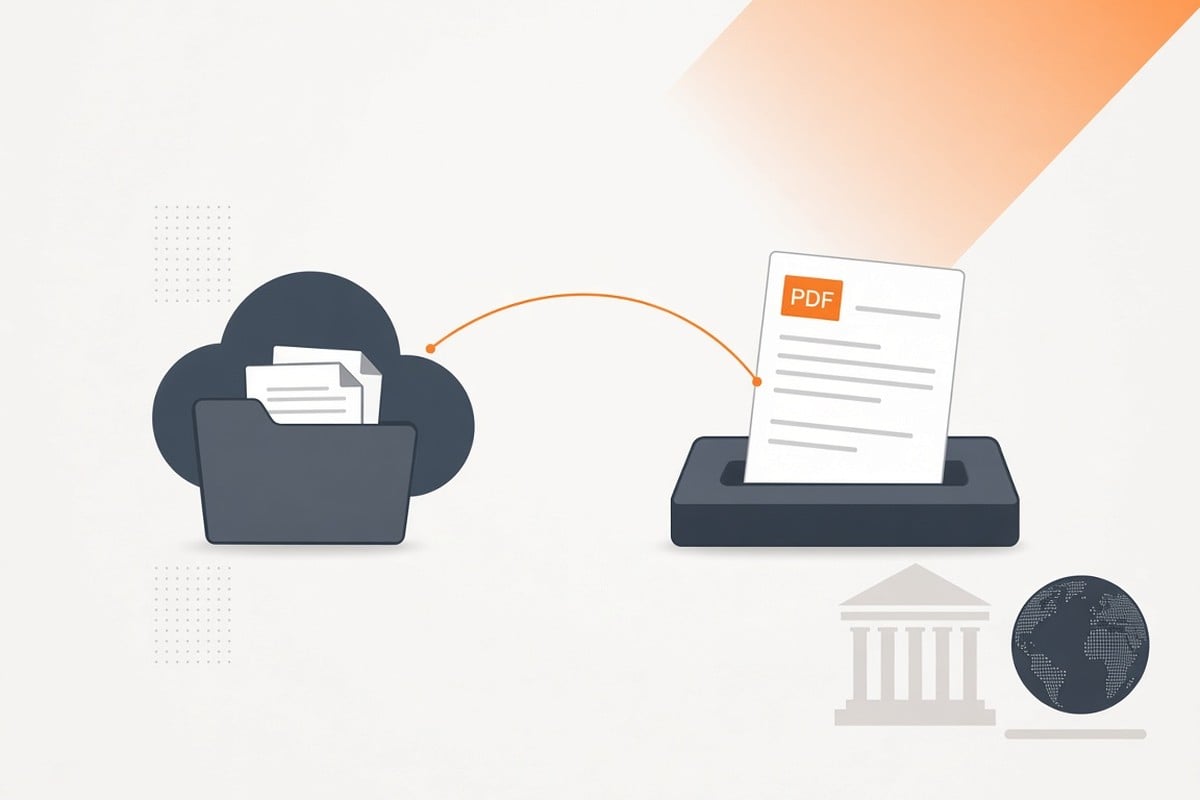
1. In Google Docs (or Slides/Sheets), click File → Download → PDF
2. Go to [send a single fax](https://singlefax.com/send-or-receive-fax)
3. Enter the destination fax number and attach the PDF
4. Add a short cover sheet and send
## Tips
- Combine multiple files into one PDF for multi‑page faxes
- Use clear headings and readable fonts for fax output
## Related reading
- [How to Send from Your Phone](https://singlefax.com/blog/send-fax-from-phone)
- [Pay‑Per‑Fax vs Subscription](https://singlefax.com/blog/pay-per-fax-vs-subscription)
## Why Exporting to PDF Beats Printing/Scanning
PDF preserves layout and fonts, so your letter, spreadsheet, or slide deck looks the way you intended after fax compression. It also avoids camera glare, shadows, and skew that can make photos hard to read.
## Prepare Docs, Sheets, and Slides for Fax Clarity
Docs (Letters, Forms)
- Use 11–12pt fonts with strong contrast
- Keep margins and spacing comfortable
- Add page numbers when sending multiple pages
Sheets (Spreadsheets)
- Increase font size and column widths
- Use borders and bold headers for legibility
- Avoid dense, small text blocks; split across pages if needed
Slides (Presentations)
- Prefer dark text on white background
- Increase text size and reduce crowded layouts
- Remove background images that reduce contrast
## Export to PDF (Google Drive)
Google Docs: File → Download → PDF
Google Sheets: File → Download → PDF (adjust scale to fit content)
Google Slides: File → Download → PDF
Check the PDF after export to ensure pagination and fonts look right.
## Add a Simple Cover Sheet
Include recipient, your contact details, total pages, and a short purpose. Keep it minimal, no sensitive data on the cover. Generate one in the [fax cover sheet tool](https://singlefax.com/fax-cover-sheet) or copy from [Fax Cover Sheet Templates](https://singlefax.com/blog/fax-cover-sheet-templates).
## Send in the Browser (No Add‑Ons Needed)
Open [send a single fax](https://singlefax.com/send-or-receive-fax), attach the PDF, enter the destination number, add your cover, send, and save the confirmation.
## Multi‑File Packets: Combine Before Sending
- Combine related Docs, Sheets, and Slides exports into a single PDF using Drive’s PDF merge tools or your device’s PDF utility
- Ensure the order matches your intended sequence (cover first)
## Quality Checklist
- Text readable at arm’s length
- High contrast (black on white preferred)
- Clear headers; table lines visible
- Logical page order with page numbers
## Troubleshooting
- Tiny text: Re‑export at larger font sizes or scale appropriately in Sheets
- Missing fonts: Use standard Google fonts or embed fonts by exporting from Docs
- Large files: Split into smaller PDFs (10–20 pages) and send in parts
- Destination issues: Re‑try during recipient’s business hours
## Security and Privacy
- Use devices/accounts with MFA enabled
- Avoid public Wi‑Fi when uploading; use cellular or VPN
- Clear local downloads if using a shared device
- Keep delivery confirmations for your records
If you handle PHI or confidential data, review: [Fax Security 101](https://singlefax.com/blog/faxing-security-tips) and [Online Faxing Security Best Practices](https://singlefax.com/blog/online-faxing-security-best-practices).
## Frequently asked questions
Do I need a Drive add-on?
No. Download as PDF from Docs, Slides, or Sheets and upload to SingleFax in your browser. Sending starts at $0.99.
Will formatting stay intact?
PDF preserves layout. Avoid tiny fonts and ensure high-contrast text. Test one page first if charts or images are critical.
Can I fax a Google Form response?
Export the response from Sheets as a PDF. Increase font sizes and spacing for readability.
What if I need to receive a fax back?
Use a [30-day fax number](https://singlefax.com/send-or-receive-fax?type=receive) for $4.99, or a [lifetime fax number](https://singlefax.com/lifetime-fax-number) ($97) if you expect ongoing inbound.
## Send a fax
[Send a fax](https://singlefax.com/send-or-receive-fax?type=send) [Get a US or Canadian number](https://singlefax.com/send-or-receive-fax?type=receive)
## Related guides
[How to Fill Out Form SS-4 and Apply for an EIN by Fax (2026 Walkthrough)
Line-by-line Form SS-4 walkthrough for an EIN by fax: what to write for foreign owners, common mistakes, the return fax and what happens after you send.UpdatedOct 14, 2026](https://singlefax.com/blog/apply-for-ein-by-fax-ss4) [Best Free Fax Numbers Online (2026): Receive Faxes Free
Free fax numbers for receiving in 2026: 24-hour numbers, toll-free options, trials and public queues. How long each lasts, page limits and the catch.UpdatedOct 15, 2026](https://singlefax.com/blog/best-free-fax-numbers-online-2026) [Best Free Online Fax Services (2026): 7 Options Compared
The best free online fax services in 2026 compared: free sending quotas, free receiving numbers, page caps, expiry and catches, in one table.Oct 15, 2026](https://singlefax.com/blog/best-free-online-fax-services)
[singlefax](https://singlefax.com/)
Send once. Receive when you need to.
[](https://play.google.com/store/apps/details?id=com.monocube.singlefax) [Add to Chrome](https://chromewebstore.google.com/detail/singlefax-fax-a-document/ojpmpilgkmjcfebhpkdmmjlkbcifkkej) [SingleFax on LinkedIn](https://www.linkedin.com/company/singlefax/) [SingleFax on Facebook](https://www.facebook.com/singlefax) [SingleFax on Instagram](https://www.instagram.com/singlefax.app) [SingleFax on Threads](https://www.threads.com/@singlefax.app) [SingleFax on YouTube](https://www.youtube.com/@singlefax) [SingleFax on GitHub](https://github.com/SingleFax)
## Fax services
- [Send a fax](https://singlefax.com/send-or-receive-fax?type=send)
- [Receive faxes](https://singlefax.com/send-or-receive-fax?type=receive)
- [Free 24-hour number](https://singlefax.com/free-fax-number)
- [Lifetime number](https://singlefax.com/lifetime-fax-number)
- [Number porting](https://singlefax.com/number-porting)
- [Test fax](https://singlefax.com/test-fax-number)
- [Company plans](https://singlefax.com/for-companies)
- [HIPAA Secure](https://singlefax.com/hipaa-fax)
- [Online fax](https://singlefax.com/online-fax)
- [Email to fax](https://singlefax.com/email-to-fax)
- [WhatsApp to fax](https://singlefax.com/whatsapp-to-fax)
## IRS filings
- [All IRS filings](https://singlefax.com/irs-filings)
- [EIN · Form SS-4](https://singlefax.com/get-ein)
- [Form 5472](https://singlefax.com/file-5472)
- [Form 7004](https://singlefax.com/file-7004)
- [Form 2553](https://singlefax.com/file-2553)
- [Form 2848](https://singlefax.com/file-2848)
- [Form 4506-T](https://singlefax.com/file-4506-t)
- [Form 8821](https://singlefax.com/file-8821)
- [Form 8802](https://singlefax.com/file-8802)
- [Form 8655](https://singlefax.com/file-8655)
- [Form 3911](https://singlefax.com/file-3911)
- [Form 8233](https://singlefax.com/file-8233)
- [NY POA-1](https://singlefax.com/file-ny-poa-1)
## Tools & resources
- [Free fax tools](https://singlefax.com/free-fax-tools)
- [Prepare a fax PDF](https://singlefax.com/prepare-fax)
- [Printable test page](https://singlefax.com/fax-test-page)
- [Cover sheets](https://singlefax.com/fax-cover-sheet)
- [Mobile app](https://singlefax.com/mobile-app)
- [Chrome extension](https://singlefax.com/chrome-extension)
- [Developers](https://singlefax.com/developers)
- [AI fax agents](https://singlefax.com/agents)
- [Versioning](https://singlefax.com/versioning)
- [Congress fax directory](https://singlefax.com/fax/congress)
- [Senate fax directory](https://singlefax.com/fax/senate)
- [Governor fax directory](https://singlefax.com/fax/governors)
## SingleFax
- [Pricing](https://singlefax.com/pricing)
- [Blog](https://singlefax.com/blog)
- [About](https://singlefax.com/about)
- [Contact](https://singlefax.com/contact)
- [Support](https://singlefax.com/support)
© 2026 SingleFax
[Privacy](https://singlefax.com/privacy-policy) [Terms](https://singlefax.com/terms-of-service) [Refunds](https://singlefax.com/refund-policy) [Report abuse](https://singlefax.com/abuse)
```json
{"@context":"https://schema.org","@graph":[{"@id":"https://singlefax.com/#website","@type":"WebSite","description":"SingleFax lets you send and receive one time faxes from your phone or computer. No signup & account registration required.","inLanguage":"en","name":"SingleFax - Send & Receive one time faxes","url":"https://singlefax.com/","publisher":{"@id":"https://singlefax.com/#/schema/organization/1"},"workTranslation":[{"@id":"https://singlefax.com/de#website"},{"@id":"https://singlefax.com/fr#website"},{"@id":"https://singlefax.com/es#website"},{"@id":"https://singlefax.com/it#website"},{"@id":"https://singlefax.com/zh-tw#website"},{"@id":"https://singlefax.com/pt-br#website"},{"@id":"https://singlefax.com/tr#website"},{"@id":"https://singlefax.com/ko#website"},{"@id":"https://singlefax.com/ja#website"},{"@id":"https://singlefax.com/ar#website"}]},{"@id":"https://singlefax.com/blog/send-fax-from-google-drive#webpage","dateModified":"2026-10-08","datePublished":"2025-11-07","description":"Send a fax from Google Drive, Docs, Sheets, or Slides with no add-on. Download a PDF, upload it in your browser, and send from $0.99. No account required.","name":"How to Send a Fax from Google Drive/Docs","url":"https://singlefax.com/blog/send-fax-from-google-drive","@type":["WebPage","FAQPage"],"breadcrumb":{"@id":"https://singlefax.com/blog/send-fax-from-google-drive#breadcrumb"},"isPartOf":{"@id":"https://singlefax.com/#website"},"mainEntity":[{"@id":"https://singlefax.com/blog/send-fax-from-google-drive#/schema/question/1"},{"@id":"https://singlefax.com/blog/send-fax-from-google-drive#/schema/question/2"},{"@id":"https://singlefax.com/blog/send-fax-from-google-drive#/schema/question/3"},{"@id":"https://singlefax.com/blog/send-fax-from-google-drive#/schema/question/4"}],"potentialAction":[{"@type":"ReadAction","target":["https://singlefax.com/blog/send-fax-from-google-drive"]}]},{"@id":"https://singlefax.com/blog/send-fax-from-google-drive#article","dateModified":"2026-10-08","datePublished":"2025-11-07","description":"Send a fax from Google Drive, Docs, Sheets, or Slides with no add-on. Download a PDF, upload it in your browser, and send from $0.99. No account required.","headline":"How to Send a Fax from Google Drive/Docs","inLanguage":"en","thumbnailUrl":"https://singlefax.com/images/versioned/8fe2eca617fe80db/send-fax-from-google-drive.jpg","@type":["Article","BlogPosting"],"author":{"@id":"https://singlefax.com/authors/mircea-rila#person"},"image":{"@id":"https://singlefax.com/#/schema/image/1"},"isPartOf":{"@id":"https://singlefax.com/blog/send-fax-from-google-drive#webpage"},"mainEntityOfPage":{"@id":"https://singlefax.com/blog/send-fax-from-google-drive#webpage"},"publisher":{"@id":"https://singlefax.com/#/schema/organization/1"}},{"@id":"https://singlefax.com/blog/send-fax-from-google-drive#breadcrumb","@type":"BreadcrumbList","itemListElement":[{"@type":"ListItem","name":"Guides","item":"https://singlefax.com/blog","position":1},{"@type":"ListItem","name":"How to Send a Fax from Google Drive/Docs","item":"https://singlefax.com/blog/send-fax-from-google-drive","position":2}]},{"@id":"https://singlefax.com/blog/send-fax-from-google-drive#/schema/question/1","@type":"Question","inLanguage":"en","name":"Do I need a Drive add-on?","acceptedAnswer":{"@type":"Answer","text":"No. Download as PDF from Docs, Slides, or Sheets and upload to SingleFax in your browser. Sending starts at $0.99."}},{"@id":"https://singlefax.com/blog/send-fax-from-google-drive#/schema/question/2","@type":"Question","inLanguage":"en","name":"Will formatting stay intact?","acceptedAnswer":{"@type":"Answer","text":"PDF preserves layout. Avoid tiny fonts and ensure high-contrast text. Test one page first if charts or images are critical."}},{"@id":"https://singlefax.com/blog/send-fax-from-google-drive#/schema/question/3","@type":"Question","inLanguage":"en","name":"Can I fax a Google Form response?","acceptedAnswer":{"@type":"Answer","text":"Export the response from Sheets as a PDF. Increase font sizes and spacing for readability."}},{"@id":"https://singlefax.com/blog/send-fax-from-google-drive#/schema/question/4","@type":"Question","inLanguage":"en","name":"What if I need to receive a fax back?","acceptedAnswer":{"@type":"Answer","text":"Use a 30-day fax number for $4.99, or a lifetime fax number ($97) if you expect ongoing inbound."}},{"@id":"https://singlefax.com/authors/mircea-rila#person","@type":"Person","jobTitle":"Founder & CEO, SingleFax","name":"Mircea Rilă","url":"https://singlefax.com/authors/mircea-rila","image":{"@id":"https://singlefax.com/#/schema/image/2"},"sameAs":["https://www.linkedin.com/in/mircearila/","https://x.com/zawasp"],"worksFor":{"@type":"Organization","name":"SingleFax","legalName":"Monocube LLC","url":"https://singlefax.com"}},{"@id":"https://singlefax.com/#/schema/organization/1","@type":"Organization","logo":"https://singlefax.com/android-chrome-512x512.png","name":"SingleFax","url":"https://singlefax.com/"},{"@id":"https://singlefax.com/#/schema/image/1","@type":"ImageObject","contentUrl":"https://singlefax.com/images/versioned/8fe2eca617fe80db/send-fax-from-google-drive.jpg","inLanguage":"en","url":"https://singlefax.com/images/versioned/8fe2eca617fe80db/send-fax-from-google-drive.jpg"},{"@id":"https://singlefax.com/#/schema/image/2","@type":"ImageObject","contentUrl":"https://singlefax.com/images/authors/mircea-rila.jpg","inLanguage":"en","url":"https://singlefax.com/images/authors/mircea-rila.jpg"}]}
```