How to File Form 5472 by Fax (Foreign-Owned US LLC Guide)
 Mircea Rilă
File Form 5472 with the required pro forma Form 1120 for an eligible foreign-owned US LLC. Check the IRS fax route, deadline and signatures.
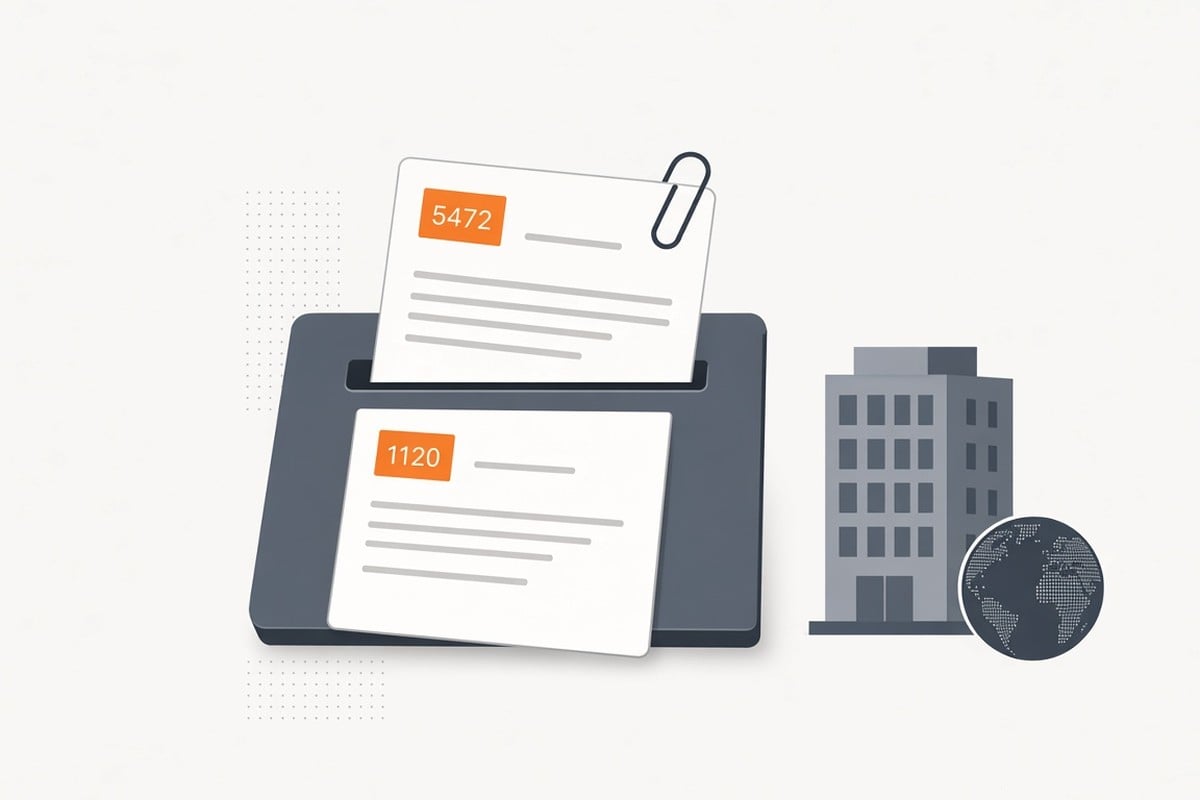
For international founders and non-US residents operating a US business through a single-member Limited Liability Company (LLC), annual tax compliance involves a mandatory federal disclosure: IRS Form 5472.
Under Treasury Regulation § 1.6038A-2, a single-member LLC that is 100% owned by a non-US person (or foreign entity) is treated as a "foreign-owned U.S. Disregarded Entity" (DE) for reporting purposes. Even if your LLC had zero US income, conducted minimal operations, or paid no federal income tax, filing Form 5472 alongside a "pro forma" Form 1120 is a strict legal requirement.
Failing to submit this packet correctly exposes you to a statutory $25,000 penalty. Because this specific filing cannot be submitted through standard electronic filing (e-file) systems, faxing to the designated IRS processing unit is the fastest, most verifiable filing method.
Form 5472 reports a foreign-owned US disregarded entity. It is not a request for a US residency certificate. If a foreign bank wants proof you were a US resident for a calendar year, that is Form 8802. The letter the IRS issues later is Form 6166.
Why You Cannot E-File Form 5472 for a Disregarded Entity
Standard US corporations (C-Corps) e-file Form 5472 as an attachment to their comprehensive corporate income tax returns (Form 1120).
However, a single-member LLC is tax-classified as a "disregarded entity" rather than an incorporated entity. To report transactions for a disregarded entity without triggering standard corporate tax liabilities, the IRS mandates filing a pro forma Form 1120, a truncated 1120 that only serves as a cover vehicle for Form 5472.
+-------------------------------------------------------------------------+
|                  WHY PRO FORMA 1120 + 5472 CANNOT BE E-FILED            |
+-------------------------------------------------------------------------+
| Standard C-Corporation (1120)       --> Full income reported --> E-File |
| Foreign-Owned Single-Member LLC     --> Pro Forma 1120       --> NO     |
|                                         (Cover vehicle only)     E-FILE |
|                                                                         |
| Authorized Submission Channels:     --> 1. Direct Fax (Recommended)     |
|                                         2. Physical Mail (Ogden, UT)    |
+-------------------------------------------------------------------------+
Because commercial e-file software requires full balance sheets and profit/loss calculations before transmitting, the IRS Modernized e-File (MeF) system does not support standalone pro forma Form 1120 submissions.
You must submit your packet using one of two approved methods:
- Direct Fax to the IRS PIN Unit (
855-887-7737). Instant transmission receipt with timestamped delivery proof. - Physical Mail to Ogden, UT. Standard postal delivery to the IRS Ogden PIN Unit.
The $25,000 Statutory Penalty Risk
Filing Form 5472 is not an optional reporting exercise. Internal Revenue Code § 6038A(d) establishes severe statutory penalties:
- Initial Penalty: $25,000 for failing to file Form 5472 by the due date (April 15 for calendar-year entities).
- Incomplete Return Penalty: Filing an inaccurate or incomplete Form 5472 is treated as a failure to file, triggering the full $25,000 fine.
- Continuation Penalty: If the IRS issues a formal notice of failure to file and you do not comply within 90 days, an additional $25,000 penalty accrues for every 30-day period (or fraction thereof) the failure continues, with no maximum statutory cap.
Due to the size of this penalty, having verifiable proof of timely transmission is essential.
| What happens | How much |
|---|---|
| You file late, incomplete, or not at all | $25,000 per form, per year |
| The IRS tells you, and you still do not file within 90 days | Another $25,000 for each 30 days (or part of 30 days) after that, with no maximum |
Already missed it, or got a notice? Read Form 5472 penalty abatement and what to do next. In short: file the missing packet fast, keep your proof, and ask for relief in writing if you had a good reason.
Verified IRS Intake: Number and Mailing Address
The IRS routes Form 5472 pro forma filings to the dedicated Foreign Payments and Information Returns (PIN) Unit at the Ogden campus.
+-------------------------------------------------------------------------+
|                    VERIFIED SUBMISSION DESTINATIONS                     |
+-------------------------------------------------------------------------+
| PRIMARY CHANNEL (FAX):                                                  |
| Verified Number: 855-887-7737                                           |
| Technical Standard: Black & White PDF at 300+ DPI                        |
|                                                                         |
| BACKUP CHANNEL (MAIL):                                                  |
| Internal Revenue Service                                                |
| 1973 N. Rulon White Blvd.                                               |
| M/S 6112, Attn: PIN Unit                                                |
| Ogden, UT 84201                                                         |
+-------------------------------------------------------------------------+
Source: IRS Instructions for Form 5472.
For numbers associated with other federal filings, see our IRS Fax Numbers Directory 2026.
How to Prepare the Pro Forma 1120 and Form 5472 Packet
The submission packet consists of two distinct components: a truncated Form 1120 and a fully completed Form 5472.
+-------------------------------------------------------------+
|              STRUCTURE OF THE FORM 5472 PACKET              |
+-------------------------------------------------------------+
| 1. Cover Sheet      --> Routing metadata (sanitized)        |
| 2. Pro Forma 1120   --> "Foreign-owned U.S. DE" at top      |
|                         Entity info + Signature ONLY        |
| 3. Form 5472        --> Part I: Reporting entity (LLC)      |
|                         Part II: 25% foreign shareholder    |
|                         Part III: Related party             |
|                         Part IV/V: Reportable transactions  |
+-------------------------------------------------------------+
Component 1: Pro Forma Form 1120 (Cover Vehicle)
You must use the current tax year version of Form 1120. Complete only the specific header fields:
- Top Margin Notation: Clearly write or print "Foreign-owned U.S. DE" across the top margin above the Form 1120 title.
- Entity Information:
- Legal name of the LLC.
- Employer Identification Number (EIN) of the LLC. (If you do not have an EIN, see how to get an EIN by fax).
- LLC formation date and state.
- Physical or registered mailing address.
- Total assets (enter
$0or the balance sheet total as of year-end).
- Lines 1 through 31 (Income and Deductions): Leave blank. Do not enter revenue, cost of goods sold, or deductions on these lines. As a disregarded entity, income flows through to the foreign owner's tax return, not the corporate form.
- Signature Area: An authorized person (managing member, owner, or corporate officer) must sign and date the bottom of Page 1.
Component 2: Form 5472 (Information Return)
Form 5472 details the transactions between the US LLC and its foreign owner (or foreign related parties):
- Part I (Reporting Entity): Provide the LLC’s legal name, US address, EIN, and principal business activity code.
- Part II (25% Foreign Shareholder): Provide the legal name, foreign address, and foreign Taxpayer Identification Number (TIN) or national ID of the foreign owner holding 25% or more equity.
- Part III (Related Party): If transactions occurred between the LLC and another entity owned by the same parent, list that related entity's details. If the owner is the direct transactor, enter the foreign owner's information.
- Part IV & Part V (Monetary and Reportable Transactions): Disclose all reportable financial exchanges that occurred during the tax year, including:
- Capital contributions (money injected by the foreign owner to fund the LLC).
- Capital distributions (money transferred from the LLC to the foreign owner).
- Loans, interest payments, service fees, or royalties paid between the entity and the owner.
- Formation expense reimbursements.
Note: Even if total operational revenue was zero, capital injections used to open a bank account or pay state registered agent fees constitute reportable transactions under Part IV/V.
Technical Fax Requirements: 300+ DPI and Legibility
The IRS PIN Unit processes faxed documents using high-speed optical scanning systems. If your submission fails OCR readability, the return may be marked incomplete, triggering an automated $25,000 penalty assessment.
- Resolution: Convert your filled forms directly from digital software to PDF, or scan physical signed forms at 300 DPI or higher in pure black-and-white mode.
- Contrast: Ensure all text, checkboxes, and numerical figures are dark and sharp. Do not submit grayscale or color scans with shaded backgrounds.
- Orientation: Ensure all pages are vertically oriented and aligned straight.
- Transmission Receipt: Ensure your fax provider generates a verifiable delivery receipt that logs the IRS receiving terminal handshake, timestamp, and page count.
Need More Time? File Form 7004 for a 6-Month Extension
If you cannot finalize your financial records before the April 15 deadline:
- Submit Form 7004 on or before April 15.
- Enter Form Code
12(for Form 1120) on Part I, Line 1. - Fax the Form 7004 extension to the exact same IRS fax number:
855-887-7737. - This grants an automatic 6-month extension, moving your Form 5472 deadline to October 15.
Read our complete guide to the Form 7004 extension for Form 5472.
Who Has to File Form 5472
In plain words, this form tells the IRS: "A foreign person owns a big part of this US business, and here is the money that moved between them."
You usually have to file if one of these fits you:
- A US company that is at least 25% foreign-owned. If a foreign person owns 25% or more, the company is in this group.
- A foreign company doing business in the US.
- A foreign-owned US disregarded entity. That is the IRS name for a US single-member LLC owned by one foreign person. "Disregarded" just means the IRS normally looks through the LLC to you, the owner. For this one form, though, the LLC still has to file.
So if you live outside the US and you own 100% of a US single-member LLC, this is almost always you. It does not matter if the LLC made no money. If money moved between you and the LLC, you report it. You file a separate Form 5472 for each related party you had a reportable deal with.
Not sure if that is you? Ask a CPA before you skip it. Skipping it by mistake is how the $25,000 penalty starts.
How to Fill Out Form 5472
Do not panic when you open the form. Most small LLCs only touch a few parts. Here is what each part is really asking, in plain words.
What You Need Before You Start
Get these ready first. It makes the form much easier.
- Your LLC's EIN (its tax ID number). No EIN yet? See how to get an EIN by fax.
- The LLC's legal name, US address, and the date you formed it.
- Your full name, home address outside the US, and your foreign tax ID number if you have one. The form calls this an FTIN. If you do not have one, the instructions say to write "None" or "N/A" in that box.
- Your bank records for the year. You need every payment between you and the LLC.
- A list of what you paid for the LLC yourself, like state fees or a registered agent bill.
Part I: Your LLC
This part is about the LLC. Write its name, address, and EIN. Add what the LLC does, in a few words, and the business code that fits best.
Line 1c asks for total assets. That means what the LLC owned at year end, in US dollars. Line 1f asks for the total value of the deals with foreign related parties that you report on this form. Check the box on line 3 if you are a foreign-owned US disregarded entity. That will be true for most readers of this guide.
Part II: The Foreign Owner
This part is about you, the owner. If you own 25% or more, your details go here.
Write your name, your address outside the US, and your country. Add a US tax ID if you have one. If you do not, you may need a reference ID number. That is just an ID you make up and then use the same way every year, so the IRS can match you across years. The instructions explain the rules, and they say you do not need to ask the IRS for permission to use one.
Part III: The Related Party
A "related party" is just a person or company close to the LLC that it did business with. Often, that is you again.
You still fill this part in, even if you already listed yourself in Part II. Write who the related party is, where they are, and how they are related to the LLC.
Part IV: Money That Moved
This part covers normal money deals with a foreign related party. Think sales, rent, fees, loans, and interest.
Use US dollars. If you paid in another currency, show the rate you used. If you do not know the exact total, the instructions let you use a fair estimate, as long as it is close to the real number.
Part V: Deals Between the LLC and Its Owner
This is the part most single-member LLC owners need most. It covers other deals between the LLC and you that are not already in Part IV.
That includes money you put in when you started the LLC, money you took out, and deals tied to forming, closing, buying, or selling the LLC. You describe these on a statement you attach. Say what moved, who it went to, and roughly how much it was worth. See the examples under "Form 5472 Reportable Transactions" below.
Part VI: Deals With No Money
Did you swap things, services, or rights without paying money, or for less than they were worth? That goes here. If nothing like that happened, most small LLCs leave this part blank.
Part VII: Extra Questions
Everyone fills this part in. It asks a few yes-or-no questions, for example about loans and certain payments. Read each one slowly. For a simple LLC with no loans and no staff abroad, many answers will be "No". Answer honestly. Do not guess if a question is about a deal you actually had. Ask a CPA.
Part VIII: Sharing Costs to Build Something
This part is only for a cost sharing arrangement. That is when related companies split the cost of building something valuable together, like software or a brand.
Most single-member LLCs do not have one. If you do not, you will not need this part.
Parts You May See at the End
The form also has Part IX, about certain payments that can cut US tax for big companies. A small foreign-owned LLC will not usually need it. If your deals are complex, get help. It is cheaper than fixing a wrong form later.
The Pro Forma Form 1120
"Pro forma" just means "for the form". Think of this form as the envelope. Form 5472 cannot go on its own for a disregarded LLC, so it rides on top of a mostly blank Form 1120.
Here is all you do with it:
- Write "Foreign-owned U.S. DE" across the top of page 1.
- Write the LLC's legal name and address.
- Fill in item B. That is your EIN.
- Fill in item E if it fits, for example if this is your first return or your last one, or if your name or address changed.
- Leave the income, costs, and tax lines blank. You are not working out company tax here.
- Attach your completed Form 5472 behind it.
That is it. The IRS instructions say only the name and address, plus items B and E, are required on this cover form. Use the Form 1120 for the tax year that just ended, not an old one you have saved.
A Worked Example
These numbers are made up. They are only here to show you how the packet fits together.
Say Maya, who lives outside the US, owns 100% of Maya Consulting LLC. In 2025 she put $10,000 of her own money into the LLC bank account. She also paid a $300 state fee from her own card, and the LLC later paid her back. At year end, the LLC took $2,000 out and sent it to Maya.
Her packet would look like this:
- Pro forma Form 1120: "Foreign-owned U.S. DE" at the top, the LLC name and address, her EIN in item B, and the first-year box in item E if this was year one. The money lines stay blank.
- Form 5472, Part I: the LLC's details.
- Form 5472, Part II: Maya's details, as the 100% foreign owner.
- Form 5472, Part III: Maya again, as the related party.
- Form 5472, Part V, with a statement: "Owner put in $10,000. Owner paid a $300 state fee and the LLC paid her back. LLC paid $2,000 out to the owner."
Then she faxes the whole packet to the IRS and keeps the fax proof. You can send it with our Form 5472 filing service or fax your ready packet yourself.
Form 5472 Reportable Transactions
A "reportable transaction" sounds scary. It just means a deal you have to tell the IRS about.
For a small foreign-owned LLC, it is usually one of these:
- Money you put in. You sent $5,000 from your own account to open the LLC bank account. Report it.
- Money you took out. The LLC sent you $1,500. Report it.
- A loan either way. You lent the LLC $8,000, or the LLC lent you money. Report it, and report any interest too.
- Bills you paid for the LLC. You paid the $250 registered agent bill or a software bill yourself, for the LLC. Report it, even if the LLC paid you back later.
- Paying for work, rent, or the use of something. The LLC paid you or your other company for work, rent, or a licence. Report it in Part IV.
Even small amounts count. Opening a bank account with your own money, or paying a state fee, can still be a reportable deal.
Common Mistakes
- "We made no profit, so we file nothing." Wrong. This form is about deals with the owner, not profit.
- Forgetting the money you put in at the start. That first transfer is one of the most common things people miss.
- Leaving out bills you paid yourself. If you paid an LLC bill from your own pocket, write it down.
- Using a different owner ID every year. If you use a reference ID, keep the same one.
- Sending Form 5472 on its own. For a disregarded LLC, attach it to the pro forma Form 1120.
When Is Form 5472 Due?
For most calendar-year LLCs, the deadline is April 15. In IRS words, it is due by the due date of that pro forma Form 1120, including any extension. If April 15 falls on a weekend or a US holiday, it moves to the next business day.
Need more time? File Form 7004 by April 15 and you get 6 more months, usually to October 15. It is automatic. You do not need to give a reason. Our guide walks you through it: Form 7004 extension for Form 5472.
What It Costs to File
The IRS forms themselves are free. What you pay for is help, and sending the fax.
- Do it yourself: $0 for the forms. You still need a way to fax, and you want proof it arrived.
- Fax a ready packet with SingleFax: $0.99 for up to 10 pages.
- Use our guided service: $29.99 at File Form 5472. It builds the packet with you and faxes it to the IRS.
- Hire a CPA or tax adviser: the price is theirs, not ours. It changes a lot with how messy your records are. Ask for a clear quote before you start, and treat any price you see online as a guide, not a promise.
Pick based on risk, not just price. A simple year with a few transfers is very different from a year with loans, staff, and several companies.
File Form 5472 with SingleFax
SingleFax provides dedicated tools to make Form 5472 compliance seamless:
- Dedicated Form 5472 Tool ($29.99): Use our Form 5472 filing service to generate a fully compliant pro forma 1120 and Form 5472 packet, validate required foreign entity disclosures, and fax directly to the IRS Ogden PIN Unit with permanent proof-of-delivery receipts.
- Form 7004 Extension ($4.99): File an automatic 6-month extension in under three minutes at File Form 7004.
- One-Time Fax Upload ($0.99): If you already have your completed PDF packet ready to send, transmit it immediately via our general fax upload for $0.99 for up to 10 pages.
Related Guides
- Form 7004 Extension for Form 5472: How to Fax the IRS
- IRS Fax Numbers Directory 2026: Verified Numbers for SS-4, 5472, and 7004
- How to Apply for an EIN by Fax (Form SS-4 Guide)
- IRS and State Forms You Can Still Fax in 2026
Disclaimer: SingleFax provides automated document generation and transmission services. SingleFax is not a certified public accounting firm or law firm, and the information in this guide does not constitute legal, tax, or accounting advice. Always consult a licensed CPA or tax attorney for entity-specific tax filings.